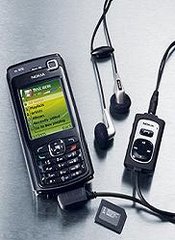
How to Use FTD Monitor on Nokia 6600???
First of all download the application from here :
Download
Its a zip file containing two files FTDserver.sis and Ftd.sis, First install the FTDServer.sis and then Ftd.sis.
Now how to use FTD Monitor to check whether u get edge connection or not???
(I) To know whether u get edge connection or not....
1.) To do this first connect your phone as a modem to your computer and start downloading anything above atleast 3MB.
2.) Start the application FTD in your Mobile.
3.) Now go the menu 6.1 ,, This menu tells us about your GPRS connection.
Hopping Carrier --- is the channel number or tower number u are connecting right now.
RX Level --- Shows the current signal strength of the above channel number.
DL TS/UPTS --- shows the number of downloading and uploading slots being used.
DL CS/UPCS --- now here you can find whether you are using edge or GPRS....if you get numbers from 1 to 4 then you are using GPRS, if you get simply X rather than numbers then its an edge connection.
Showing posts with label ftd. Show all posts
Showing posts with label ftd. Show all posts
Monday, June 18, 2007

Subscribe to:
Posts (Atom)